A composition naming system for After Effects
Keeping After Effects projects organized is rarely glamorous, but it is one of the biggest levers for speed and clarity. A good naming pattern prevents the endless hunt for "Pre-comp 47" and makes it easier to scale a project without mental overhead. Below is a compact system that has proven to be flexible across many projects and teams.
Organization unlocks creative flow
The biggest payoff of structure is not the structure itself, but how little you have to think about it later. When naming is predictable, you stop wasting energy on basic decisions and can focus on the animation.
How the system works
This approach is built around three ideas:
- Hierarchy
- Sequential vs. non-sequential levels
- Additional information
Here is a simple example:
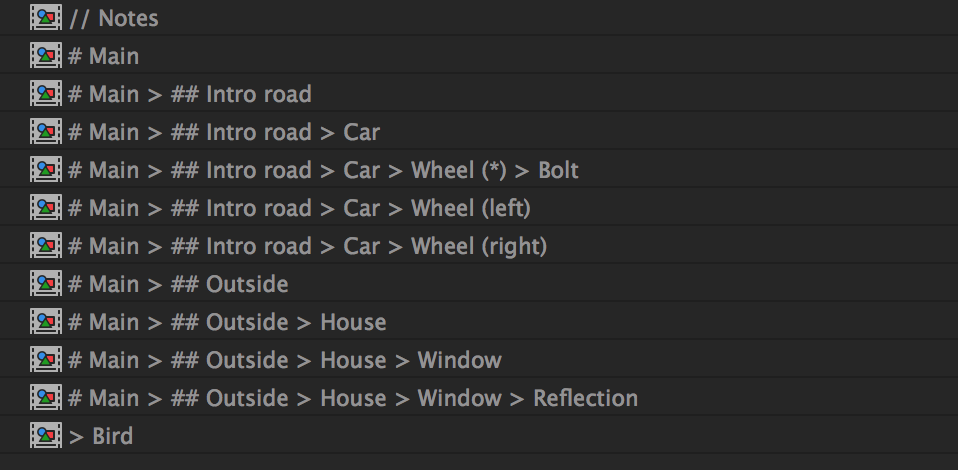
1) Hierarchy
Use a > separator to show where a composition sits in the tree. The last term is the current comp, and anything before it is its parent chain.
House > Window > Reflection
This mirrors the idea of namespacing: you can instantly see where a comp belongs and how deep it is.
2) Sequential vs. non-sequential
Use # to indicate sequence levels. Think of it as a simple ladder:
# Movie > ## Sequence > ### Scene
A common habit is to name your primary output comp # Main. If there are multiple deliverables (lengths, languages, versions), keep them at the same top level and add a short qualifier:
# Main (15s)
# Main (30s)
# Main (fr)
# Main (en)
# Another title
Everything that starts at # is first-level and should never be nested inside another composition.
3) Additional information
Parentheses are a clean way to surface extra context. They are easy to scan and make long names readable.
# Main (en)
# Main (en) > ## Highway
# Main (en) > ## Highway > Car (green)
# Main (en) > ## Highway > Car (blue)
# Main (fr)
# Main (fr) > ## Highway
# Main (fr) > ## Highway > Car (green)
# Main (fr) > ## Highway > Car (blue)
In this example, the same scene exists in two languages, each containing cars with color variants.
Wildcards for reuse
Sometimes you want a comp to be reusable across multiple branches. Two wildcard patterns help keep the system flexible:
- Global wildcard: Start with
>to indicate a comp that can be used anywhere (textures, effects, common elements). - Bypass additional info: Use
*inside parentheses to ignore specific variants while keeping the hierarchy intact.
# Main (en)
# Main (en) > ## Highway
# Main (fr)
# Main (fr) > ## Highway
# Main (*) > ## Highway > Car (green)
# Main (*) > ## Highway > Car (blue)
# Main (*) > ## Highway > Car (*) > Wheel
This trades a little alphabetical purity for significantly better reuse.
Trash, guides, and throwaways
Use // for comps you want to ignore or remove later. This keeps the main list clean and makes cleanup obvious.
Examples:
// Storyboardfor temporary PNG sequences// Notesfor client or animator callouts
Folders: useful, but secondary
Folders are excellent for imported assets, but composition organization should be solved by naming. After naming, you can move wildcards (>) and throwaways (//) into their own folders and leave the rest together for clean alphabetical order.
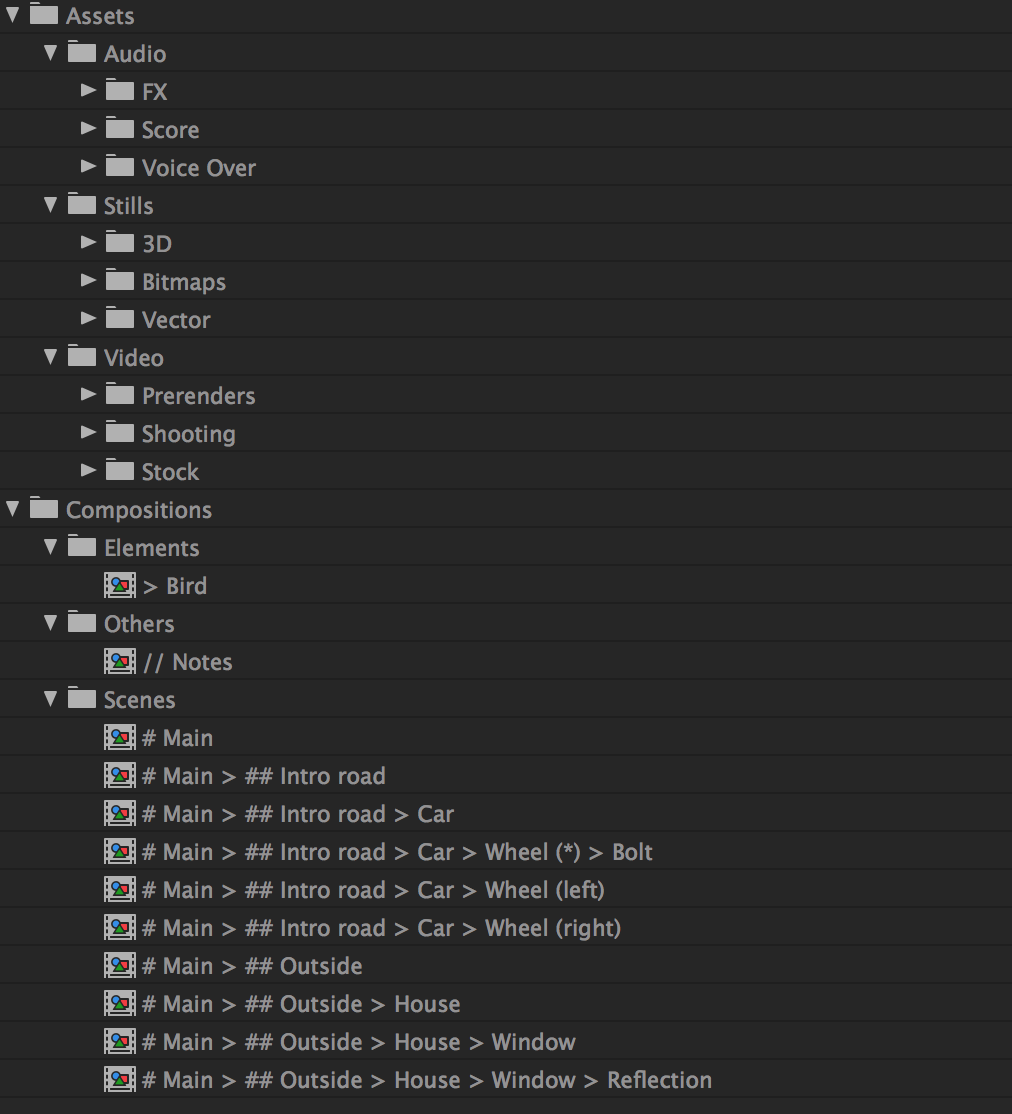
If a project grows large, you can split top-level comps into subfolders, but the comp name should still carry the organizational intent.
Tips
- A batch renamer (like AE Global Renamer) helps keep hierarchy changes painless.
- Layer naming can be more relaxed, especially if Illustrator layers are already structured.
Closing thoughts
This is a practical, opinionated system meant to reduce friction. Adapt it to your workflow, keep it flexible, and aim for names that make the project readable at a glance.