File Architect: A macOS app to create file structures from plain text
Keeping a file system organized is harder and slower than it needs to be. Creating files and folders by hand is too slow and tedious, and using command lines can work, but it's complex, unintuitive, and somewhat slow too.
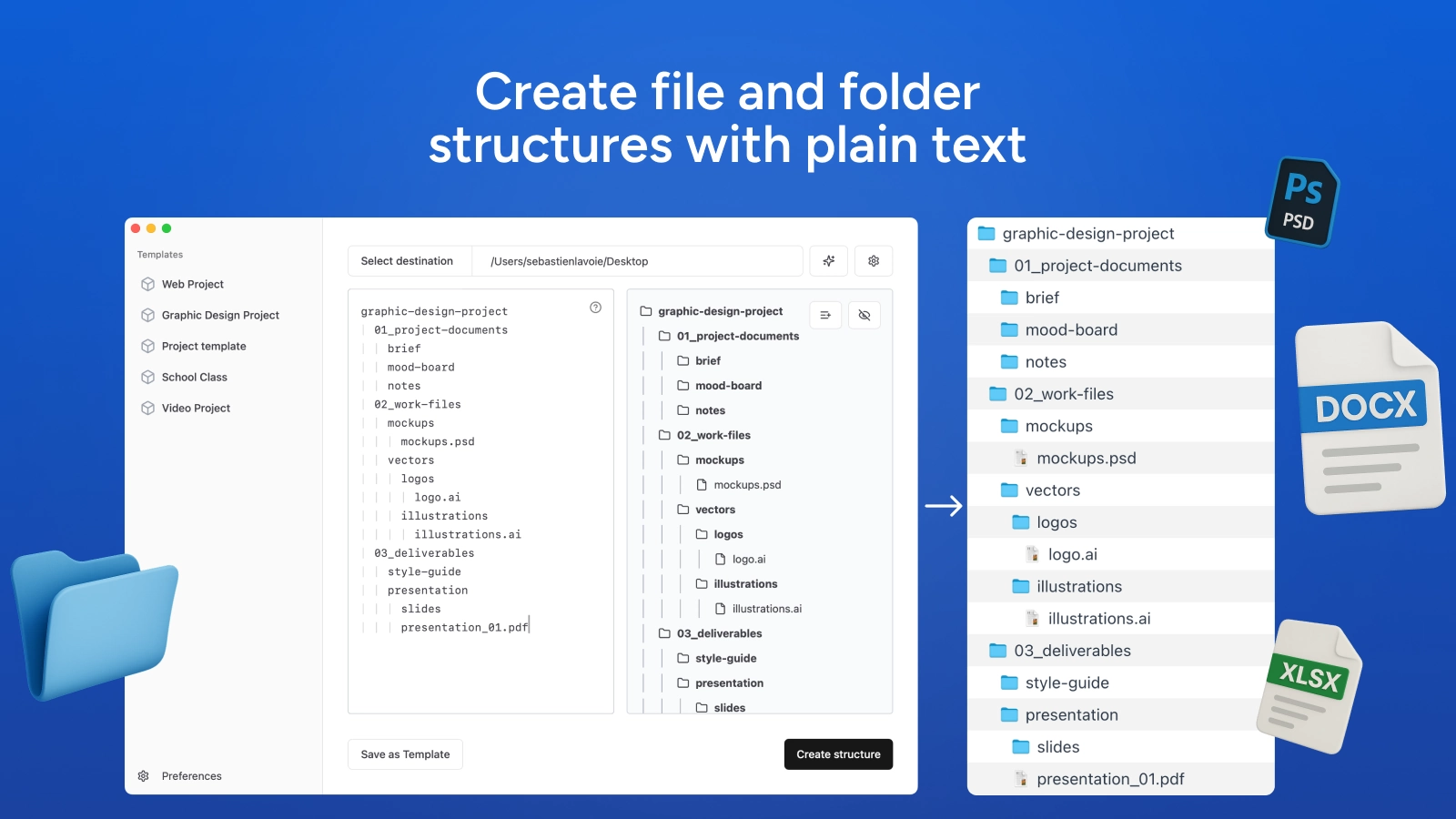
File Architect solves this with a simple idea: outline the files and folders you want, nest them with tabs, and create your structure. It's local, private, and fast.
Why text as an interface?
Text is the perfect tool to outline a simple, predictable result. It's lightweight, fast, readable, shareable. It's also especially well-suited as input in the era of LLMs.
Another underrated advantage of a text-based approach is that the input is visually similar to the expected result, reducing UI complexity and the gap between editing and output.
Features
What initially started as a very simple solution grew into a proper, fully fledged app with many features:
- Advanced Operations syntax: Copy, rename, or move files or folders and their content
- AI Generation: Get an AI-generated structure from a simple prompt
- Valid Blank Files: Files are created as valid blank files that open, not 0-byte stubs
- Templating system: Plain-text templates can be saved and managed
- Fast and minimal: The app stays fast, lightweight (19.9 MB) and simple
- Open-Source Engine: Can be used via command-line at github.com/filearchitect
Generating valid blank files
One thing that kept coming up is that binary files won't open when they're created programmatically. A 0 bytes file.txt is fine, but a 0 bytes file.docx won't open.
So I did what had to be done and gathered a large amount of minimal valid working blank files and put them in an open-source package, also accessible from blankfiles.com.
When creating one of those formats, the app downloads the blank file locally and caches it, so the file created will open smoothly in the right software.
A web-friendly tech stack
Building everything from idea to design, backend, and frontend was a fun challenge. What started as a quick tool built for myself quickly became more significant, and I needed to learn quite a bit to make it work:
- Tauri development ecosystem
- Rust language basics
- How to structure a large React app
- How to sign and release an app to work well on macOS
As a developer mostly comfortable with the web, using Tauri felt less daunting than Swift. Also, it makes a future Windows release accessible.
The app is supported by a Laravel web app that handles authentication, downloads, releases, updates, docs, and more.
The AI-assisted development process
This project was built with significant help from various AI tools. It was particularly helpful with:
- Exploring and prototyping ideas quickly
- Working with Rust/Tauri, which was new to me
- Accelerating the initial development
While AI tools were very useful, they weren't a complete solution. The initial prototype came together quickly — reaching about 60-70% completion in the first phase. However, the refinement phase involving authentication, payment processing, bug fixes, performance improvements, and testing required significant manual intervention and cleanup.
Programming remains fundamentally a human task. The role has shifted more toward architecture and oversight rather than pure implementation.
Try it for free at filearchitect.com